

Codeanywhere


Open your browser, sign in, and get to work—no machine setup. Start a project by linking a repository from GitHub, attaching Google Drive to pull in documents or assets, or opening a remote folder over SFTP/FTP. From there, launch the built-in terminal to install dependencies, run build scripts, or execute tests with the tools you already use (npm, composer, pip, and more). Organize your workspace with folders and drag-and-drop uploads, set up environment files, and pin frequently used commands so your routine tasks stay one click away.
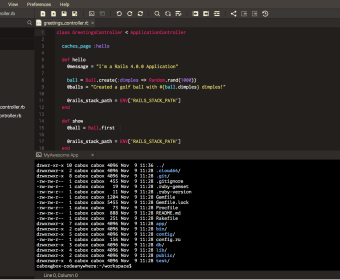
When you’re coding, the editor helps you move quickly and safely. Smart suggestions speed up writing HTML, CSS, JavaScript, and PHP, while syntax coloring and inline diagnostics make issues obvious before you hit run. Use multi-cursor editing for repetitive changes, jump to definitions, and rename symbols across files to refactor without breaking behavior. The integrated debugger lets you step through code, inspect values, and track call stacks directly in the editor so you can isolate bugs without context switching.
Collaborating is straightforward. Share an editable link with a teammate to co-edit the same file and watch their cursor as they type. Open the chat panel to discuss changes, drop snippets, or outline next steps without leaving the workspace. Connect your repo to keep work organized with branches and commits, review diffs, and roll back when needed using the file history. For quick feedback rounds, invite reviewers with view-only access, then promote their suggestions into your branch with a couple of clicks. more
Basic
$4.80 per user / month
1 Container
Live collaboration
Connect up to 5 Remote Servers
Standard
$12.00 per user / month
3 Containers
Live collaboration
1 Always-On Option
2x Memory & 2x Speed
50% more storage
Connect up to 50 Remote Servers
Premium
$32.00 per user / month
6 Containers
Live Collaboration
2 Always-On Options
4x Memory & 4x Speed
100% more storage
Connect Unlimited number of Remote Servers


Comments